Best Budget Gaming Laptops 2026: Under $1000 Picks
A budget gaming laptop guide for buyers who want real 1080p gaming, sane thermals, and a display that is not an afterthought.
Affiliate disclosure: As an Amazon Associate, CinderSpire Studio may earn from qualifying purchases through the product links below. Rankings are based on published specifications, official documentation, and cited third-party measurements, not paid placement or fake user reviews.
Quick Verdict
| Laptop | Best Config To Watch | Strength | Caution |
|---|---|---|---|
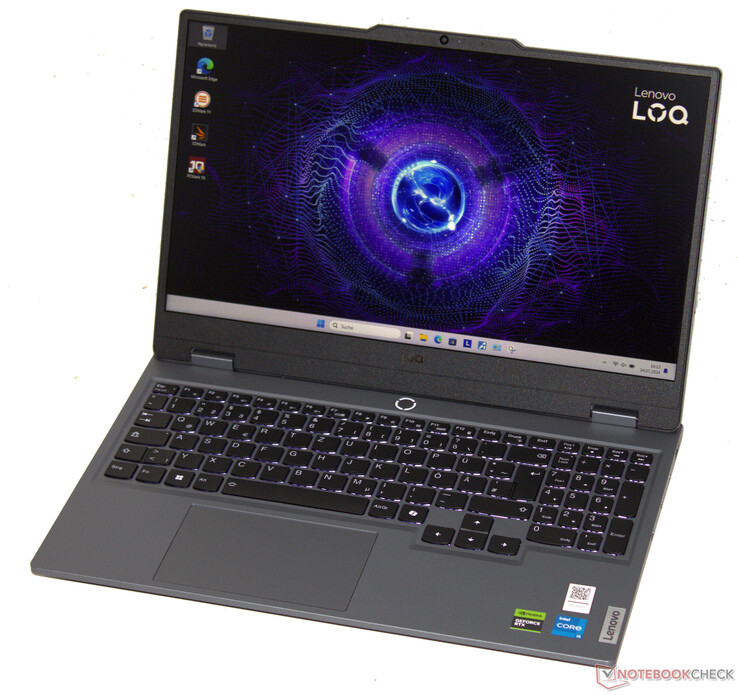
| Lenovo LOQ 15 | RTX 4060, 16GB/32GB RAM, 100% sRGB panel when available | Strong value and sensible chassis | Battery life and panel vary by exact SKU |
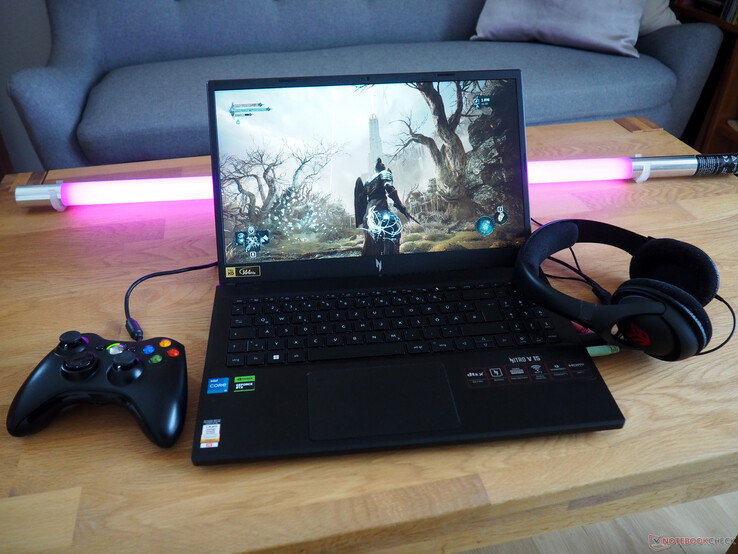
| Acer Nitro V 15 | RTX 4060, 16GB RAM, 165Hz FHD if discounted | Often aggressive pricing | Some configs use weaker color panels or lower GPU power |
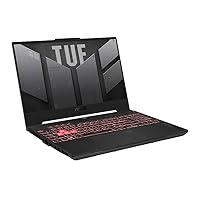
| ASUS TUF A15 | RTX 4060/4070, 100% sRGB 144Hz panel | Good GPU wattage options and durability positioning | Older/cheaper SKUs can have weaker displays |
| HP Victus 16 | RTX 4060/4070 sale config, QHD if under budget | Large screen and occasional strong deals | Check panel brightness and exact TGP |
Amazon Gear Picks


Budget Laptop Rule: Exact SKU Matters
Budget gaming laptops are not like desktops. A laptop name does not define performance. The same model family can ship with different GPU wattage, display color coverage, memory layout, SSD capacity, battery size, Wi-Fi card, and cooling behavior. The only safe buying method is to check the exact SKU, not just the brand name.
Under $1000, the target is an RTX 4060 laptop with 16GB RAM, a 512GB or 1TB NVMe SSD, and a 1080p high-refresh display that covers close to 100% sRGB if possible. RTX 4070 laptops sometimes dip near the budget during sales, but a low-wattage RTX 4070 with a poor display is not automatically better than a well-cooled RTX 4060 configuration. Notebookcheck's laptop GPU pages are useful because they show how laptop GPU performance changes with power limits.
Battery life expectations must be realistic. Gaming laptops are portable computers, not long-running handheld consoles. Web browsing battery life can range from mediocre to good depending on iGPU mode, MUX/Advanced Optimus behavior, battery size, and CPU. Gaming on battery is usually short and slower. Plan to plug in for serious play.
Spec Checklist Under $1000
| Component | Minimum | Better Target | Why It Matters |
|---|---|---|---|
| GPU | RTX 4050 6GB | RTX 4060 8GB or discounted RTX 4070 | The GPU sets game settings and longevity. |
| RAM | 16GB dual-channel | 32GB if price is close | Single-channel 16GB can hurt performance. |
| Storage | 512GB NVMe | 1TB NVMe with spare M.2 slot | Modern games fill small drives quickly. |
| Display | FHD 144Hz IPS | FHD/QHD 165Hz, 300 nits, 100% sRGB | Color and brightness affect every game. |
| Battery | 50Wh class | 70Wh+ when available | More capacity helps school/work use. |
| Cooling | Dual fan | Reviews showing sustained performance | Thin budget chassis can throttle. |
Manufacturer specs are essential for display and GPU wattage. ASUS lists TUF A15 configurations with RTX 4060 Laptop GPU power up to 140W in some variants and FHD 144Hz 100% sRGB display options. Lenovo PSREF documents LOQ models with RTX 4060 Laptop GPU details, boost clocks, TGP, and display options. Acer's Nitro V 15 pages list specific refresh rates and GPU models by SKU. HP Victus spec pages list display options up to QHD 240Hz and GPU classes, but the retail configuration decides what you actually get.
The display is the easiest place for budget laptops to hide cost cutting. A 144Hz sticker does not guarantee good color. For gaming, a dull 250-nit low-sRGB display makes every title look flat. If two laptops have the same GPU, buy the better panel unless the cooling difference is dramatic.
Top Budget Picks
Lenovo LOQ 15 is the safest budget family to watch because many configurations balance price, cooling, and mainstream design. Notebookcheck's LOQ 15 review context frames it as an FHD gaming laptop with RTX 4060-class value around the $1000 category, while also calling out battery limitations. That is the tradeoff: good plugged-in gaming value, not ultrabook endurance.
Acer Nitro V 15 is the deal hunter's pick. It often appears at very aggressive prices and can be a good buy with the right display and RTX 4060 configuration. The danger is configuration spread: some Nitro V variants have weaker panels or lower GPU power. Treat every sale listing as a spec sheet exercise.
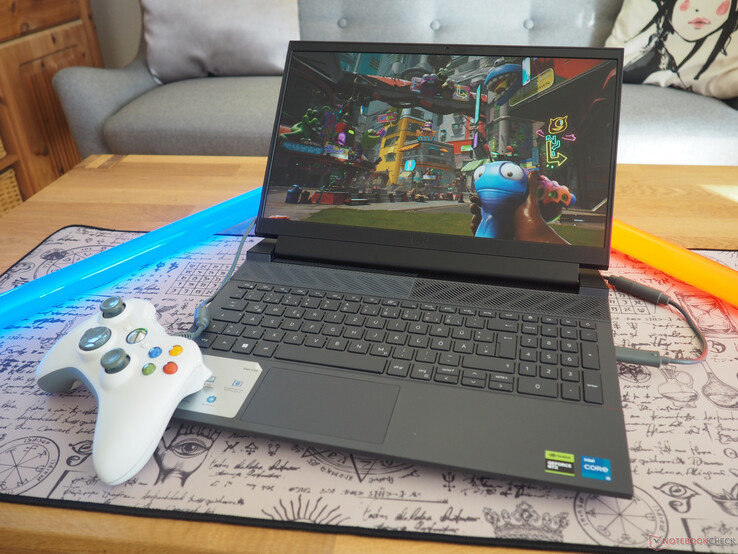
ASUS TUF A15 is attractive when the 100% sRGB panel and higher-wattage RTX 4060/4070 configurations fall near budget. TUF models tend to emphasize durability styling and gaming performance, but older or cheaper SKUs can ship with less impressive screens. HP Victus 16 and Dell G15 are similar: they can be excellent when discounted, but panel, wattage, and RAM configuration decide the outcome.
RTX 4060 vs RTX 4070 In Budget Laptops
An RTX 4070 laptop is not always a huge upgrade over RTX 4060 if both are power-limited. NVIDIA's laptop GPU naming leaves room for different power envelopes, and chassis cooling can flatten the gap. A high-wattage RTX 4060 with a good screen and dual-channel RAM can be a better experience than a compromised RTX 4070 deal with a dim display.
For 1080p, the RTX 4060 Laptop GPU is the practical budget target because it brings 8GB VRAM, DLSS support, and enough performance for high settings in many games. For QHD, you either need to accept settings compromises, rely on upscaling, or hunt for a strong RTX 4070 sale. Do not buy a QHD laptop solely because the panel sounds premium if the GPU cannot feed it in the games you care about.
Battery, Thermals, And Upgradeability
Notebookcheck reviews are valuable because they measure emissions, power behavior, displays, and battery runtime rather than repeating marketing text. Pay attention to WLAN battery tests, sustained gaming performance, and fan noise. A laptop that posts a good benchmark for five minutes but throttles after twenty is not a good gaming laptop.
Upgradeability is the budget buyer's friend. A laptop with two RAM slots and a second M.2 slot can start as a 16GB/512GB deal and become a 32GB/2TB machine later. Soldered memory, one storage slot, or difficult disassembly makes a cheap laptop less flexible. Before buying, look for service manuals, teardown photos, or trusted review notes about internal access.
If you play D&D online, budget gaming laptops are more than game machines. They can run Discord, browser sheets, Roll20 or Foundry, a webcam, and the Initiative Tracker at the same time. That mixed workload is another reason 32GB RAM is a worthwhile upgrade.
How To Use This Guide Without Overbuying
Use the tables as a decision filter, not as a command to buy the most expensive item. A good gaming purchase starts with the bottleneck you can prove: input latency, frame rate, stream stability, voice clarity, table workflow, display motion, or laptop thermals. Once the bottleneck is clear, compare the specification that actually affects it. For keyboards that might be actuation behavior and layout. For a PC it is usually the GPU and monitor target. For software it is reliability, encoder support, and how quickly a creator can recover when something breaks five minutes before going live.
Prices and Amazon listings move faster than published specifications. Treat the affiliate cards as live availability shortcuts and the citations as the stable evidence layer. If a listing changes configuration, color, RAM amount, switch type, display panel, or included accessory, follow the specification table instead of the product title. This is especially important for gaming laptops, prebuilt bundles, monitors, and peripherals with regional variants. Two products can share the same retail name while using different screens, sensors, switches, power limits, or firmware options.
The practical buying process is: define the use case, check the cited manufacturer or platform documentation, compare at least two alternatives, read measured testing where available, then buy only if the return policy gives you enough time to test the product in your own setup. For physical gear, test comfort, noise, heat, cable routing, and software behavior immediately. For software and online tools, run a private rehearsal with the exact scenes, bots, maps, or rules you expect to use. The best choice is the one that keeps working after the initial setup excitement fades.
Sources And Methodology
We prioritized official manufacturer specifications, official software documentation, and specialist test labs where available. Pricing, availability, and Amazon listings can change quickly, so use the product links as a live availability check and the specification tables as the stable decision layer.
- Notebookcheck Lenovo LOQ 15 Review
- Notebookcheck RTX 4060 Laptop GPU Benchmarks
- Lenovo LOQ 15ARP9 PSREF
- Acer Nitro V 15 Official Specs
- ASUS TUF Gaming A15 Official Tech Specs
- HP Victus 16 Official Specs
Frequently Asked Questions
What is the best gaming laptop under $1000 in 2026?
The best deal changes weekly, but a Lenovo LOQ 15, Acer Nitro V 15, ASUS TUF A15, HP Victus 16, or Dell G15 with RTX 4060, 16GB RAM, and a good FHD high-refresh panel is the target. Verify the exact SKU before buying.
Is RTX 4060 enough for a budget gaming laptop?
Yes. RTX 4060 Laptop GPU is the practical 2026 budget target for 1080p gaming. It offers a better longevity profile than RTX 4050 because of its 8GB VRAM class, while staying cheaper than most RTX 4070 laptops.
Should I buy RTX 4070 if it is under $1000?
Maybe. Check GPU wattage, cooling, screen quality, RAM, and storage. A power-limited RTX 4070 with a poor panel can be less satisfying than a well-balanced RTX 4060 laptop with a bright 100% sRGB display.
How much RAM should a gaming laptop have?
16GB dual-channel is the minimum. 32GB is better if you play modern games, stream, keep Discord and browsers open, use VTT software, or want the laptop to age well. Avoid single-channel memory when possible.
Is FHD or QHD better under $1000?
FHD is safer under $1000 because budget GPUs can drive it at higher settings. QHD is sharper, but it asks more from the GPU. Buy QHD only if the GPU, wattage, and games you play make sense for that resolution.
Do budget gaming laptops have good battery life?
Some are acceptable for browsing, but none should be bought for long unplugged gaming. Gaming on battery is short and often slower. Look for iGPU mode, a larger battery, and Notebookcheck WLAN results if school or travel battery life matters.
Can I upgrade a budget gaming laptop later?
Often yes, but it depends on the model. Look for two RAM slots, replaceable M.2 storage, and accessible internals. Soldered RAM or one storage slot limits the upgrade path and should reduce what you are willing to pay.
What display specs matter most?
Refresh rate, brightness, color coverage, and response behavior all matter. A 144Hz label alone is not enough. Prefer 300 nits or better, close to 100% sRGB when available, and a panel reviewed as responsive enough for gaming.
Related CinderSpire Tools And Guides
These internal tools help turn the buying advice into real play, streaming, or tabletop prep workflows.