Best Discord Bots For Servers 2026: MEE6 vs Carl-bot vs Dyno vs ProBot
A server-owner comparison of the big multipurpose Discord bots, focused on moderation, role management, logging, welcome flows, and realistic community operations.
Affiliate disclosure: As an Amazon Associate, CinderSpire Studio may earn from qualifying purchases through the product links below. Rankings are based on published specifications, official documentation, and cited third-party measurements, not paid placement or fake user reviews.
Quick Verdict
| Bot | Best For | Strongest Feature | Tradeoff |
|---|---|---|---|
| Carl-bot | Role-heavy communities | Reaction roles, automod, logging, embeds, starboard | Dashboard can feel dense for beginners |
| Dyno | Beginner moderation teams | Simple web dashboard and moderation utilities | Some advanced community features may need other bots |
| MEE6 | Leveling and creator communities | Polished onboarding, leveling, welcome, premium plugins | Many advanced features sit behind paid services |
| ProBot | Large public communities | Welcome images, embeds, self-assignable roles, leveling | Feature breadth requires careful permission setup |
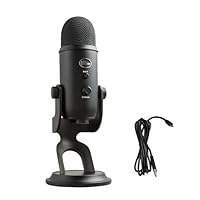
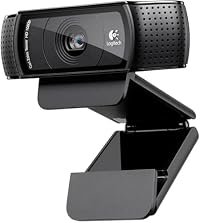
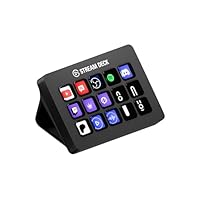
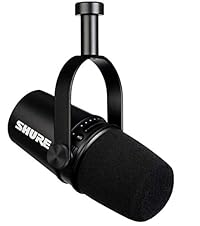
Amazon Gear Picks
What A Discord Bot Should Actually Solve
A Discord bot is not a decoration. It should reduce moderator workload, make onboarding clear, protect the server during raids, assign roles cleanly, and create enough lightweight engagement that members know where to go. The wrong bot stack creates duplicate welcome messages, conflicting automod rules, broken role hierarchy, and moderators who do not know which dashboard controls which action.
For a gaming or TTRPG server, start with one primary moderation bot and one specialized bot if needed. The primary bot owns moderation logs, automod, warning actions, role panels, and welcome messages. A specialized bot can handle music, scheduling, giveaways, or tabletop dice. Avoid giving five bots Administrator permission just because setup is easier. Discord role hierarchy matters: a bot cannot manage roles above its own role, and a compromised bot with broad permissions can damage the server.
Music is the most unstable feature category. Due to platform policy changes, many music bots have disappeared, changed providers, or reduced functionality over time. Do not choose your moderation bot solely because it advertises music. Choose moderation, logging, role control, and support quality first; add a compliant music or activity solution separately if your community truly uses it.
Feature Comparison
| Feature | MEE6 | Carl-bot | Dyno | ProBot |
|---|---|---|---|---|
| Moderation | Polished tools, premium depth | Strong automod and logs | Beginner-friendly moderation | Multipurpose moderation suite |
| Role Management | Welcome and role tools | Excellent reaction roles and autoroles | Role commands and dashboard setup | Self-assignable reaction/button roles |
| Leveling | Known for leveling, some premium features | Available, often tied to config choices | Not the main reason to pick Dyno | Official leveling system page |
| Embeds | Custom commands and messages | Strong embed and TagScript culture | Useful utility/custom command features | Official simple embed builder |
| Best Fit | Creator fan server | Complex gaming community | Moderation-first small server | Large international public server |
Carl-bot's official description is direct: reaction roles, automod, logging, custom commands, suggestions, high uptime, autoroles, embeds, starboard, autofeeds, repeating messages, reminders, and triggers. That breadth makes it one of the strongest single-bot foundations for a gaming server. The complexity is real, but it is complexity attached to useful server operations.
Dyno is a safer first dashboard for many moderators. It is easier to explain to a small team, and its command list and help documentation are approachable. If your server is under 1,000 members and mainly needs spam control, mod logs, timed mutes, and basic role utilities, Dyno can be enough. If you later need advanced reaction role menus or highly customized embeds, you may outgrow it or pair it with another tool.
MEE6 remains recognizable and polished, especially for leveling, creator communities, and welcome experiences. Its own help documentation separates Premium, AI, Pro, and AI Characters as independent services, which is important for budgeting. If you want premium plugins across multiple servers, verify per-server cost and ownership before committing.
Recommended Bot Stack By Server Type
The stack should be documented in a private mod channel. Write down which bot handles warnings, which bot handles reaction roles, where mod logs go, and who can edit dashboards. Many moderation failures are not caused by bad bots; they are caused by two admins changing overlapping rules without a record.
- Small friend server: Discord built-in AutoMod plus Dyno or Carl-bot for logs and simple moderation.
- Streamer community: MEE6 or StreamElements for creator tie-ins, plus Carl-bot if role panels become complex.
- Large gaming clan: Carl-bot or ProBot for roles, logging, and onboarding, with clear moderator-only channels.
- D&D campaign server: Carl-bot for channels and roles, plus a dice or scheduling bot, and links to the CinderSpire Dice Roller for browser rolls.
Permissions, Logging, And Safety
Never grant Administrator permission as the default setup shortcut. Use the minimum permissions required for the modules you actually enable: Manage Messages, Timeout Members, Kick Members, Ban Members, Manage Roles for role bots, and View Audit Log where needed. Place the bot role above managed member roles but below owner and senior admin roles. Test every punishment command on a private test account or low-risk role before trusting it in public.
Logging should be split from public moderation. Create private channels for mod-log, join-log, message-log, and bot-config notes. Public punishment messages can calm a community if used sparingly, but detailed logs belong in a staff-only area. If your server runs tabletop campaigns, separate campaign spoiler channels from general chat and use reaction roles or buttons to grant campaign access deliberately.
For raids, Discord's built-in AutoMod and onboarding settings are part of the defense. Bots are not a substitute for verification levels, rate limits, private staff procedures, and a clear incident plan. A good bot helps execute the plan; it does not replace one.
How To Use This Guide Without Overbuying
Use the tables as a decision filter, not as a command to buy the most expensive item. A good gaming purchase starts with the bottleneck you can prove: input latency, frame rate, stream stability, voice clarity, table workflow, display motion, or laptop thermals. Once the bottleneck is clear, compare the specification that actually affects it. For keyboards that might be actuation behavior and layout. For a PC it is usually the GPU and monitor target. For software it is reliability, encoder support, and how quickly a creator can recover when something breaks five minutes before going live.
Prices and Amazon listings move faster than published specifications. Treat the affiliate cards as live availability shortcuts and the citations as the stable evidence layer. If a listing changes configuration, color, RAM amount, switch type, display panel, or included accessory, follow the specification table instead of the product title. This is especially important for gaming laptops, prebuilt bundles, monitors, and peripherals with regional variants. Two products can share the same retail name while using different screens, sensors, switches, power limits, or firmware options.
The practical buying process is: define the use case, check the cited manufacturer or platform documentation, compare at least two alternatives, read measured testing where available, then buy only if the return policy gives you enough time to test the product in your own setup. For physical gear, test comfort, noise, heat, cable routing, and software behavior immediately. For software and online tools, run a private rehearsal with the exact scenes, bots, maps, or rules you expect to use. The best choice is the one that keeps working after the initial setup excitement fades.
Sources And Methodology
We prioritized official manufacturer specifications, official software documentation, and specialist test labs where available. Pricing, availability, and Amazon listings can change quickly, so use the product links as a live availability check and the specification tables as the stable decision layer.
- MEE6 Services Help
- Carl-bot Official About
- Dyno Official Site
- Dyno Help Docs
- ProBot Official Features
- Discord Safety Center
Frequently Asked Questions
Which Discord bot is best overall in 2026?
Carl-bot is the strongest overall pick for many gaming servers because it combines reaction roles, automod, logging, embeds, and custom behavior. Dyno is easier for beginners, MEE6 is polished for creator communities, and ProBot is strong for welcome, embeds, and large public servers.
Can I use more than one moderation bot?
You can, but you should avoid overlapping punishment and automod rules. Use one primary bot for warnings, logs, and role panels. Add specialized bots only for features the primary bot does not handle, and document the ownership of every module.
Is MEE6 worth paying for?
It can be worth paying for if your server actively uses its premium plugins, leveling, welcome tools, or creator features. Check whether pricing applies per server and whether the premium features you need are included in the specific MEE6 service you are buying.
Is Carl-bot hard to set up?
Carl-bot is deeper than Dyno, so the dashboard can feel busier. The upside is power: reaction roles, logs, automod, embeds, autoroles, starboard, and triggers can live in one bot. Take setup module by module instead of enabling everything at once.
What bot should I use for reaction roles?
Carl-bot and ProBot are both strong reaction role choices. Carl-bot is popular for complex role panels and logging-heavy servers. ProBot is approachable for self-assignable roles, welcome systems, and polished embed flows.
Should a bot have Administrator permission?
Usually no. Grant only the permissions needed for enabled modules and keep the bot role below owner/admin roles. Administrator is convenient during setup but risky for long-term security, especially in public communities.
Do Discord music bots still work?
Some do, but music is the least stable category because platform policies and provider access change. Choose your moderation bot for moderation, roles, and logs. Treat music as a separate feature and verify current legality, quality, and reliability.
What is the best setup for a D&D Discord server?
Use roles for campaign access, private DM channels, session announcements, and spoiler separation. Add a moderation bot for logs and reaction roles, then link players to tools like the Dice Roller, Initiative Tracker, and Character Generator for browser-based play support.
Related CinderSpire Tools And Guides
These internal tools help turn the buying advice into real play, streaming, or tabletop prep workflows.