Best Gaming PC Build 2026: $800, $1500, And $2500 Tiers
Three practical 2026 gaming PC builds, designed around real resolution targets instead of vague labels: 1080p value, 1440p high-refresh, and 4K enthusiast.
Affiliate disclosure: As an Amazon Associate, CinderSpire Studio may earn from qualifying purchases through the product links below. Rankings are based on published specifications, official documentation, and cited third-party measurements, not paid placement or fake user reviews.
Quick Verdict
| Budget | Performance Target | CPU/GPU Class | Best Buyer |
|---|---|---|---|
| $800 | 1080p high settings and esports high refresh | Ryzen 5 7600 plus RTX 4060 / RX 7600 XT class | First desktop, student build, console upgrade |
| $1500 | 1440p ultra with strong 1% lows | Ryzen 7 7800X3D plus RTX 5070 / RX 9070 XT class | Most PC gamers with a 1440p monitor |
| $2500 | 4K high refresh and heavy ray tracing | Ryzen 7 9800X3D or 7800X3D plus RTX 5080 class | Enthusiasts, streamers, creators |
| Upgrade Priority | GPU first, then monitor, then CPU | Avoid overspending on motherboard aesthetics | Anyone trying to maximize FPS per dollar |
Amazon Gear Picks
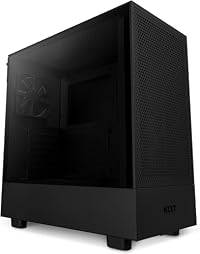
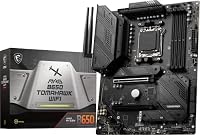
Build Philosophy: Match The GPU To The Monitor
A gaming PC is only as rational as its display target. Building a $2500 tower for a 1080p 75Hz monitor wastes money. Pairing a budget GPU with a 4K OLED display creates avoidable disappointment. Tom's Hardware GPU hierarchy is useful because it separates 1080p, 1440p, and 4K benchmark tiers across a large game suite, which is exactly how buyers should think.
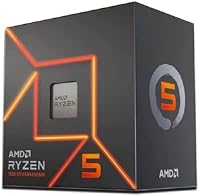
The $800 tier is not a prestige build. It is the point where desktop PC gaming becomes meaningfully better than an entry console for esports, modding, browser tools, Discord, and upgrade flexibility. A Ryzen 5 7600 is still a sensible AM5 entry because AMD lists a 65W default TDP, six Zen 4 cores, and a modern platform with DDR5 support. Spend the saved money on a better GPU, 32GB of memory, and a real 1TB NVMe drive.
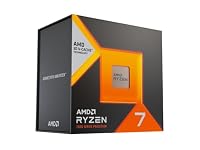
The $1500 tier is where most serious buyers should land. It is built around 1440p, because 1440p monitors are now affordable, sharp, and fast. A 3D V-Cache CPU such as the Ryzen 7 7800X3D protects 1% lows in CPU-limited esports and simulation games, while a current upper-midrange GPU handles high settings without forcing every new title through upscaling.
The $2500 tier should be treated as a luxury performance machine. It is justified if you own or plan to buy a 4K 144Hz/240Hz monitor, care about ray tracing, stream and record while gaming, or use the PC for rendering and AI workloads. It should not be justified by RGB, oversized motherboards, or a case that harms airflow.
Component Tiers
| Part | $800 Value | $1500 Sweet Spot | $2500 Enthusiast |
|---|---|---|---|
| CPU | Ryzen 5 7600 | Ryzen 7 7800X3D | Ryzen 7 9800X3D or 7800X3D if pricing wins |
| GPU | RTX 4060 / RX 7600 XT class | RTX 5070 / RX 9070 XT class | RTX 5080 class |
| RAM | 32GB DDR5-6000 | 32GB DDR5-6000 CL30 | 32GB to 64GB DDR5, workload dependent |
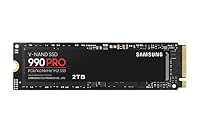
| Storage | 1TB PCIe 4.0 NVMe | 2TB PCIe 4.0 NVMe | 2TB primary plus optional secondary SSD |
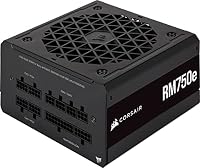
| PSU | 650W quality unit | 750W Gold | 850W to 1000W ATX 3.0-class unit |
| Monitor Match | 1080p 144Hz/165Hz | 1440p 165Hz/240Hz | 4K 144Hz+ or 3440x1440 OLED |
The GPU is the build-defining choice. Tom's Hardware ranks GPUs across rasterization, ray tracing, and content creation tests; those rankings matter more than model-number assumptions. A newer card with enough VRAM and good power efficiency can be a better buy than an older high-end card at the wrong price. For 2026, treat 8GB VRAM as the bare minimum for budget 1080p, 12GB as more comfortable for 1440p, and 16GB or more as the safer enthusiast target.
Do not cut the power supply too close. A quality 650W unit is fine for the $800 tier, but midrange and high-end builds benefit from a modern 750W or 850W modular PSU with the correct GPU power connectors. Stable power, quiet fan behavior, and protections matter more than a flashy case window.
The $800 Build: Value Without Dead Ends
The value build should use a modern socket, not a dead-end bargain board. A Ryzen 5 7600 with a B650 motherboard gives you AM5 upgrade room. Pair it with 32GB DDR5, a 1TB NVMe SSD, and a GPU that can run esports at high frame rates and single-player games at 1080p high settings. If GPU pricing is hostile, choose the card with the better game bundle, warranty, and cooler rather than chasing a tiny benchmark gap.
The common mistake at this price is buying a flashy case, liquid cooler, and tiny SSD while settling for a weak GPU. A stock or budget tower cooler is enough for the Ryzen 5 7600. Spend the money on the graphics card, storage, and memory. The other mistake is buying 16GB RAM because it looks cheaper; modern games, browser tabs, Discord, launchers, and capture software make 32GB the practical baseline.
The $1500 Build: The 1440p Sweet Spot
The $1500 tier is where you stop asking whether a game is playable and start asking how high you want the settings. A Ryzen 7 7800X3D remains a strong gaming CPU because the extra cache helps frame-time consistency in many engines. With a 1440p GPU, it gives you room for high-refresh shooters, RPGs with heavy cities, and strategy games that punish weaker CPUs during late-game turns.
At this level, buy a better monitor before overspending on a motherboard. A 1440p 165Hz IPS display is the value floor; a 240Hz OLED or fast IPS display is the upgrade. The visual jump from a cheap 1080p monitor to a strong 1440p panel is larger than the difference between two motherboards that both run the same CPU and memory profile.
The $2500 Build: 4K, Ray Tracing, And Streaming
A $2500 tower should be balanced around heat and noise. High-end GPUs can be fast and efficient, but cramped cases and weak exhaust turn them into loud machines. Choose a high-airflow case, a quality 850W or 1000W PSU, and a cooler that keeps the CPU quiet under gaming loads. If you stream, use the GPU hardware encoder when possible; OBS recommends hardware encoding because it moves work away from the CPU to a dedicated encoder block.
The enthusiast build also benefits from storage discipline. A fast 2TB primary NVMe drive is enough for the operating system, applications, and active games. Add a second SSD for recordings, mod libraries, and VOD exports. Recording to the same nearly full drive that is loading a game is a simple way to create stutters that look like GPU problems.
How To Use This Guide Without Overbuying
Use the tables as a decision filter, not as a command to buy the most expensive item. A good gaming purchase starts with the bottleneck you can prove: input latency, frame rate, stream stability, voice clarity, table workflow, display motion, or laptop thermals. Once the bottleneck is clear, compare the specification that actually affects it. For keyboards that might be actuation behavior and layout. For a PC it is usually the GPU and monitor target. For software it is reliability, encoder support, and how quickly a creator can recover when something breaks five minutes before going live.
Prices and Amazon listings move faster than published specifications. Treat the affiliate cards as live availability shortcuts and the citations as the stable evidence layer. If a listing changes configuration, color, RAM amount, switch type, display panel, or included accessory, follow the specification table instead of the product title. This is especially important for gaming laptops, prebuilt bundles, monitors, and peripherals with regional variants. Two products can share the same retail name while using different screens, sensors, switches, power limits, or firmware options.
The practical buying process is: define the use case, check the cited manufacturer or platform documentation, compare at least two alternatives, read measured testing where available, then buy only if the return policy gives you enough time to test the product in your own setup. For physical gear, test comfort, noise, heat, cable routing, and software behavior immediately. For software and online tools, run a private rehearsal with the exact scenes, bots, maps, or rules you expect to use. The best choice is the one that keeps working after the initial setup excitement fades.
Sources And Methodology
We prioritized official manufacturer specifications, official software documentation, and specialist test labs where available. Pricing, availability, and Amazon listings can change quickly, so use the product links as a live availability check and the specification tables as the stable decision layer.
- Tom's Hardware GPU Benchmarks Hierarchy 2026
- Tom's Hardware Best Graphics Cards 2026
- AMD Ryzen 5 7600 Official Specs
- AMD Ryzen 7000 Quick Reference Guide
- OBS Hardware Encoding Guidance
Frequently Asked Questions
Is $800 enough for a gaming PC in 2026?
Yes, if you target 1080p and avoid luxury parts. Use a modern six-core CPU, 32GB DDR5, a 1TB NVMe SSD, and the strongest GPU deal you can find. It will not be a 4K ray tracing machine, but it can be an excellent esports and mainstream gaming desktop.
Should I choose AMD or Intel for a gaming build?
Choose by platform price and game behavior, not brand loyalty. AMD AM5 is attractive because it gives an upgrade path and efficient gaming CPUs. Intel can still be competitive when motherboard and CPU bundles are discounted. For most gaming builds, GPU choice matters more than the CPU brand once you buy a modern midrange processor.
How much RAM do I need for gaming?
32GB is the practical 2026 recommendation. Some games still run on 16GB, but Discord, browsers, launchers, capture tools, mods, and background apps make 32GB smoother. Use 64GB only if you also edit video, run virtual machines, create large mods, or keep heavy creator applications open while gaming.
Is PCIe 5.0 storage required?
No. A good PCIe 4.0 NVMe SSD is already fast enough for gaming load times and general responsiveness. PCIe 5.0 can help niche file-transfer workloads, but it often costs more and can run hotter. Spend storage money on capacity before chasing benchmark-only sequential speed.
What should I upgrade first later?
Upgrade the GPU first if your frame rate is low at your monitor resolution. Upgrade the monitor if the PC can already exceed your display's refresh rate. Upgrade the CPU if you see poor 1% lows, simulation bottlenecks, or high GPU underutilization in CPU-heavy games.
Do I need liquid cooling?
Most gaming builds do not need liquid cooling. A good air cooler handles mainstream Ryzen and Intel CPUs with less complexity. Liquid cooling can make sense for high-end CPUs, small cases, aesthetics, or low-noise goals, but it should not steal budget from the GPU.
What PSU wattage should I buy?
Use a quality 650W PSU for value builds, 750W for strong 1440p builds, and 850W to 1000W for high-end GPU builds. Leave headroom for transient spikes, future upgrades, and quieter fan operation. Brand quality and protection circuitry matter more than the printed wattage alone.
Should I build now or wait for new GPUs?
If your current system prevents you from playing the games you want, build around current deals. GPU launches are constant, prices move, and waiting can become permanent. If you already have a playable PC and a major GPU launch is weeks away, waiting for reviews and price movement is reasonable.
Related CinderSpire Tools And Guides
These internal tools help turn the buying advice into real play, streaming, or tabletop prep workflows.